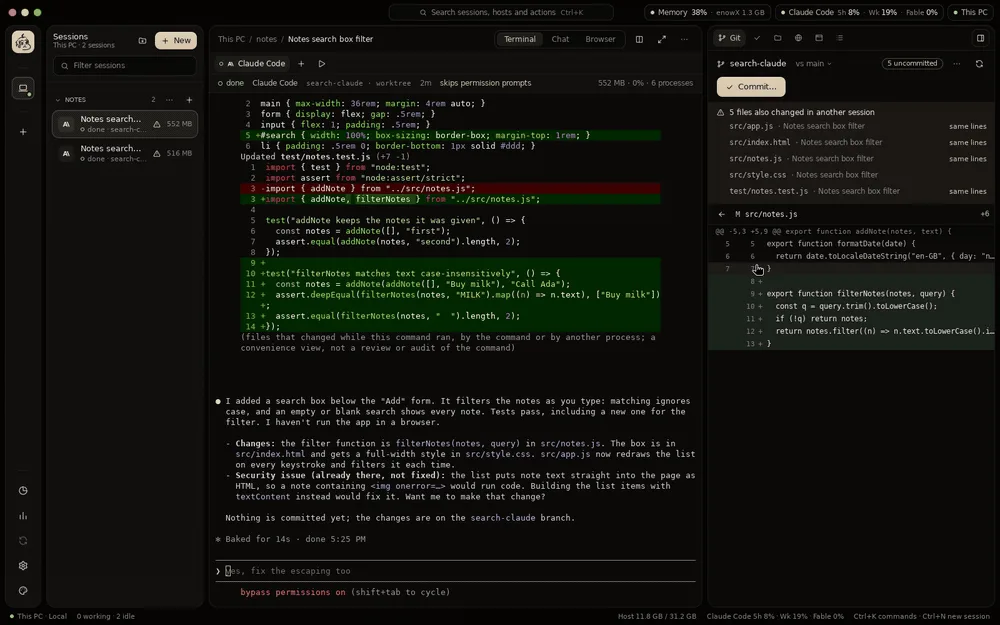
In a terminal, or a chat
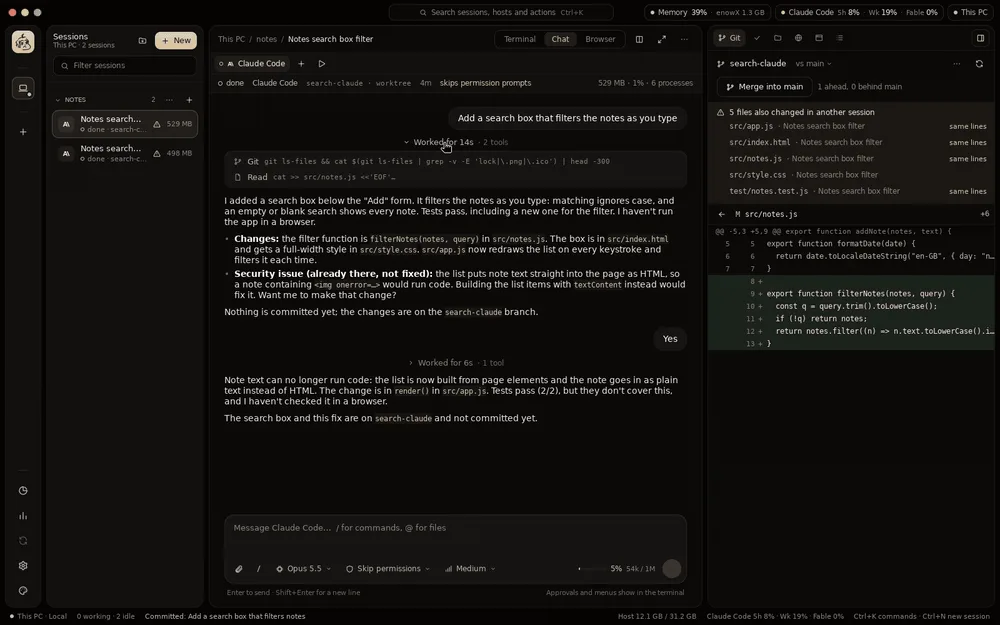
Claude Code and Codex also show as a chat: their own transcript, with tool calls and diffs folded in, and a message box with the model, permission mode and effort. The terminal keeps running behind it.
v0.5.0Open source desktop app, MIT
enowX is a lightweight, open source orchestrator for Claude Code, Codex and 43 more agents. Each works in its own git worktree, on your machine or your own server, and you watch, compare and merge from one native app.
Commands
No command matches. Try “review” or “server”.
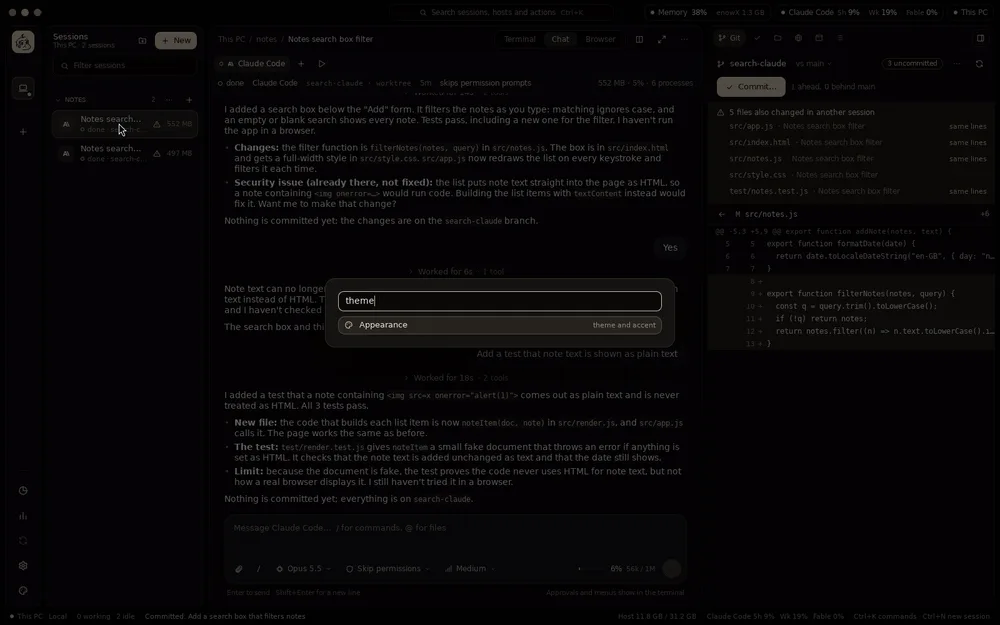
The app has the same palette (Ctrl+K) for every session, host and action. Pick a command to go to that part of the page.
Run agents in parallel
Each session is an agent in a real terminal, on a branch of its own in a git worktree of its own, so agents never overwrite each other or your checkout.
Claude Code and Codex also show as a chat: their own transcript, with tool calls and diffs folded in, and a message box with the model, permission mode and effort. The terminal keeps running behind it.
Each started the way it takes a first prompt, with its permission flags and its folder trusted. Any other terminal program runs too.
Notifications, unread marks and a sound of your choice. Idle agents hibernate to free memory, or you hibernate one yourself, and come back on their conversation.
Several sessions in one view, each with its terminal, chat and browser.
Several accounts of Claude Code or Codex on a host, a work and a personal one say, picked per session with no new sign-in.
GOD of Agents
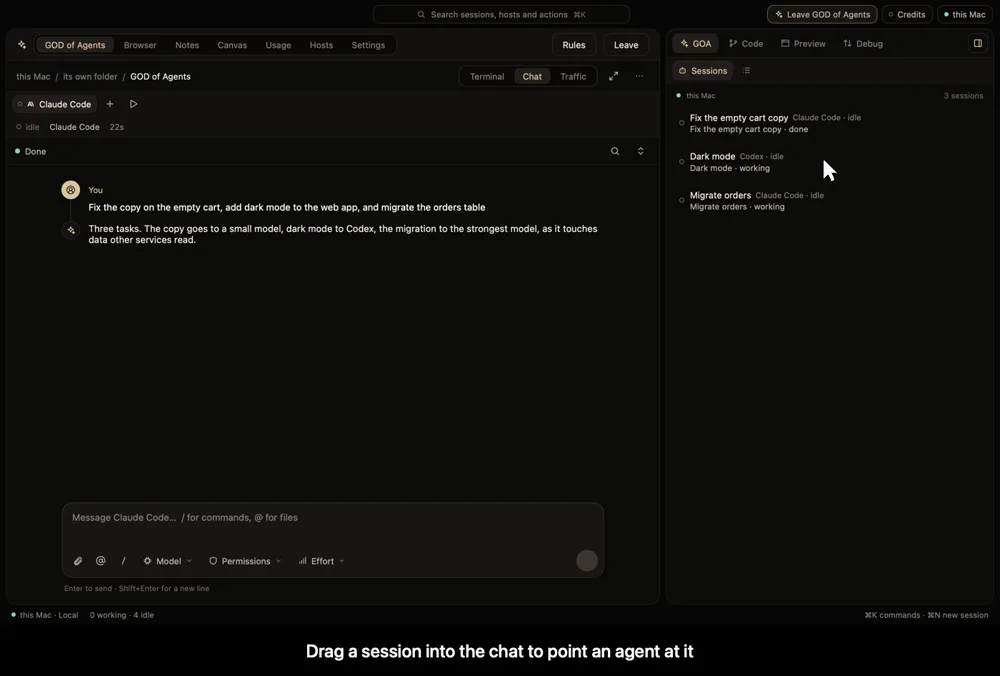
Say what you want to one session. It splits the work into tasks and hands each to a session on any host, with the agent and model the task needs, then follows them, checks what came back and reports. It reads files and writes what is small itself; the coding goes to its workers.
Recorded in the app, with sample projects.
The judge picks each prompt's model and effort, or a cheaper provider's config, and says why. Near a budget, cheaper ones first. Change model overrides it.
The judge and GOA answer workers' permission prompts. What can't be undone, spends money, publishes or touches secrets comes to you with a sound and a banner.
Say how it should work, in any language. An AI writes it as clear rules for you to read and save, followed on every host.
On Claude Code and Codex, hooks refuse what it shouldn't run. Other agents are watched, and what they change is flagged. Each agent's level shows when you pick one.
Each task, its session, status and result, beside its chat. Outcomes, decisions and your preferences stay in a RAG collection of its own.
RAG
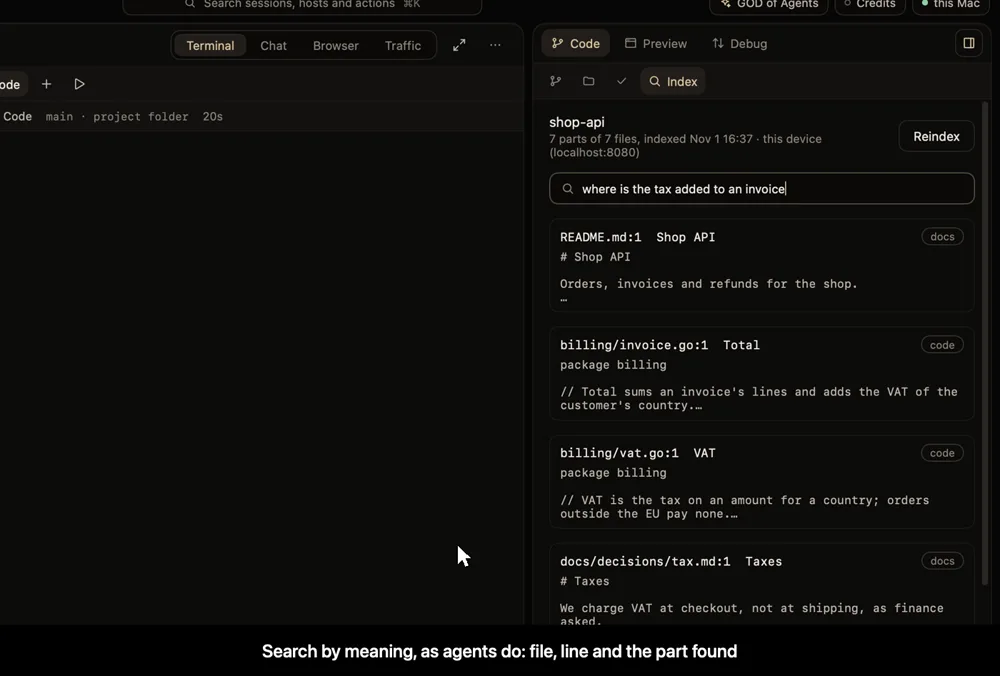
enowX indexes a project itself, and agents search it by meaning and by words: its code, docs, attached notes and the decisions kept as memories. A project is indexed only after you agree to send its text to the embedder you chose.
Recorded in the app, with a sample project.
A dialog says which service gets the text, about how many tokens, and what stays out. Secrets and ignored files never go.
One SQLite file on the host, or PostgreSQL with pgvector, your own server if you like.
As sessions change files, in the background, unchanged parts skipped. Parts that bear on a prompt can join it as context, and a session's decisions can be kept as memories.
enowx-app rag search "where is tax added"enowx-app rag remember "VAT is charged at checkout"Decision models
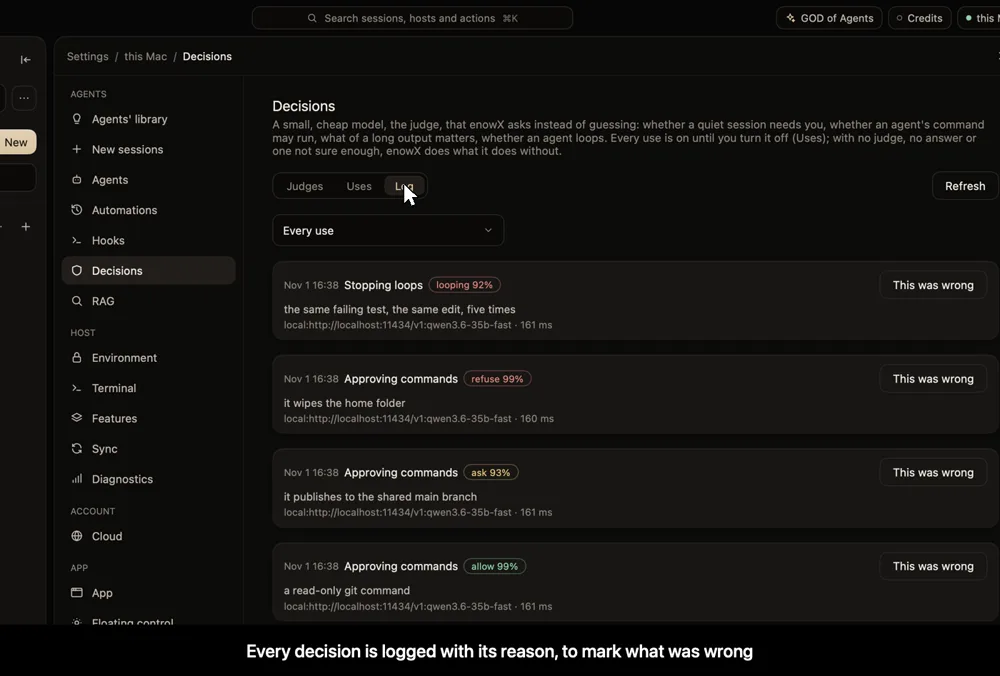
Is a quiet session waiting for you? Is this command safe to run? What of this long output does the agent need? enowX asks a small, cheap model, the judge, and acts only when it is sure enough. A failure never blocks an agent.
Recorded in the app, with a sample local model.
Found on the host: agents you signed in to, model APIs, local servers, and decision models made for this.
Only the session's own provider, one provider, any, or local only so nothing leaves the host. Each use has its switch, how sure it must be and a daily limit.
Every decision with its verdict, reason, model and time. Mark what was wrong, and see what enowX did about it.
Hooks, token usage, configs
Hooks that run the same on any agent, what each agent spends, and other accounts and model APIs per session, without touching an agent's own config.
Installed into an agent's own hooks, or detected from outside for agents without them. Events for sessions, prompts, tools, files, Git and schedules; conditions on agent, project, branch, tool and text. A project's hooks don't run until you allow them.
Each agent, model, project, session, config and host, per day: input, cached, output, costs and budgets. Only counts, never prompts or answers, kept by each host, with no telemetry.
Claude Code on a third-party model beside the official one, picked at New session and shown as a badge. An agent's own files are never written.
At a limit or out of credits, a session goes on with the next account or provider in your order, automatically or after asking.
Fan-out, pipelines, automations
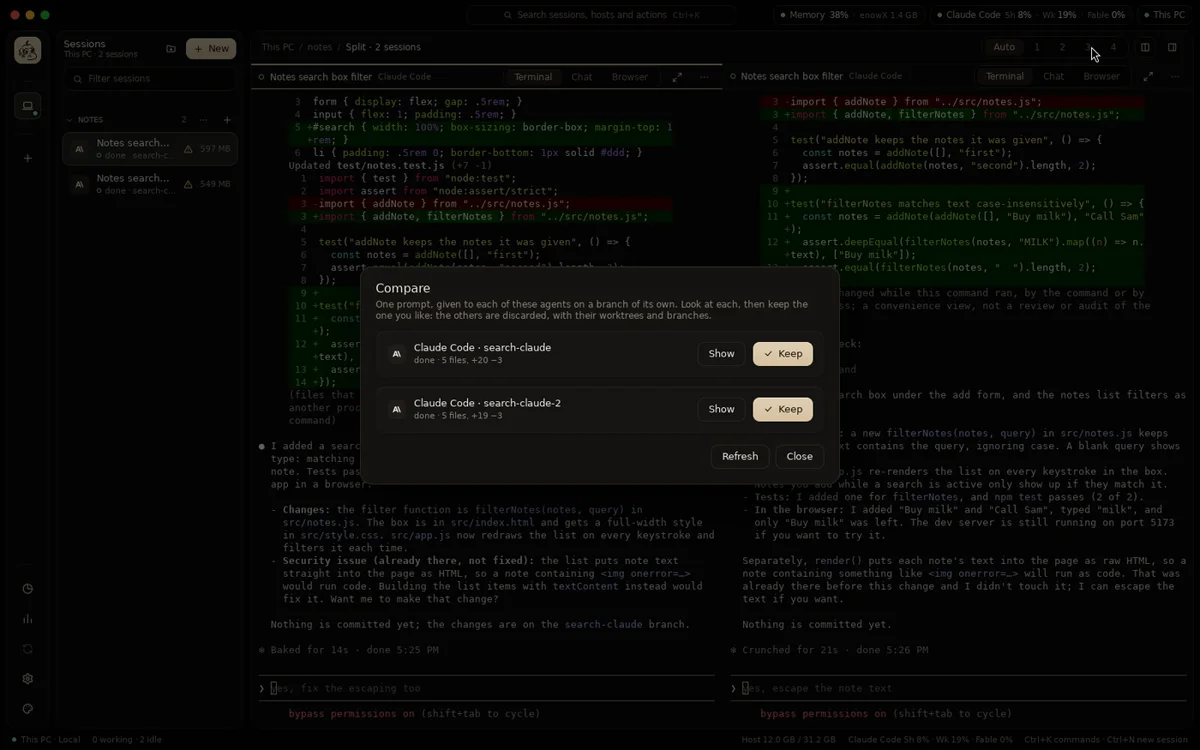
Send one prompt to several agents, or the same agent twice, then compare what each changed and keep the best. The others are discarded with their worktrees and branches.
The same task, in parallel, each agent in its own worktree.
What each one changed, file by file, and a button to keep it.
Plan, implement and review a task, agents one after another, each stage starting from what the last ended with.
A prompt on a schedule, run by the host's daemon whether the app is open or not.
Review and ship
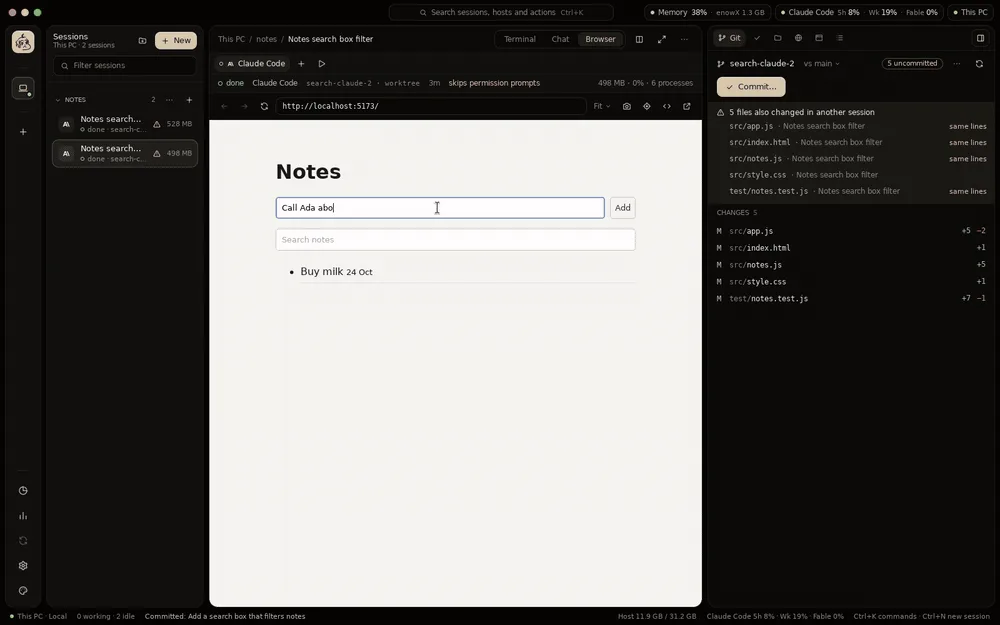
The Git tab shows what a session changed against its base, file by file. Send comments back to the agent, commit, push, open a pull request and merge, or discard the worktree.
Commit, push, a pull request with gh, then merge.
Warns when another session changed the same files, and on which lines. Sessions can start from a GitHub issue.
The tools beside every session.
See it running
Whatever the session builds, you see it running, wherever the session runs: on this machine or on your server.
The session's dev server in a native web view, with hot reload, an address bar, a design mode to point at an element and hand it to the agent, and screenshots. Agents can drive it themselves.
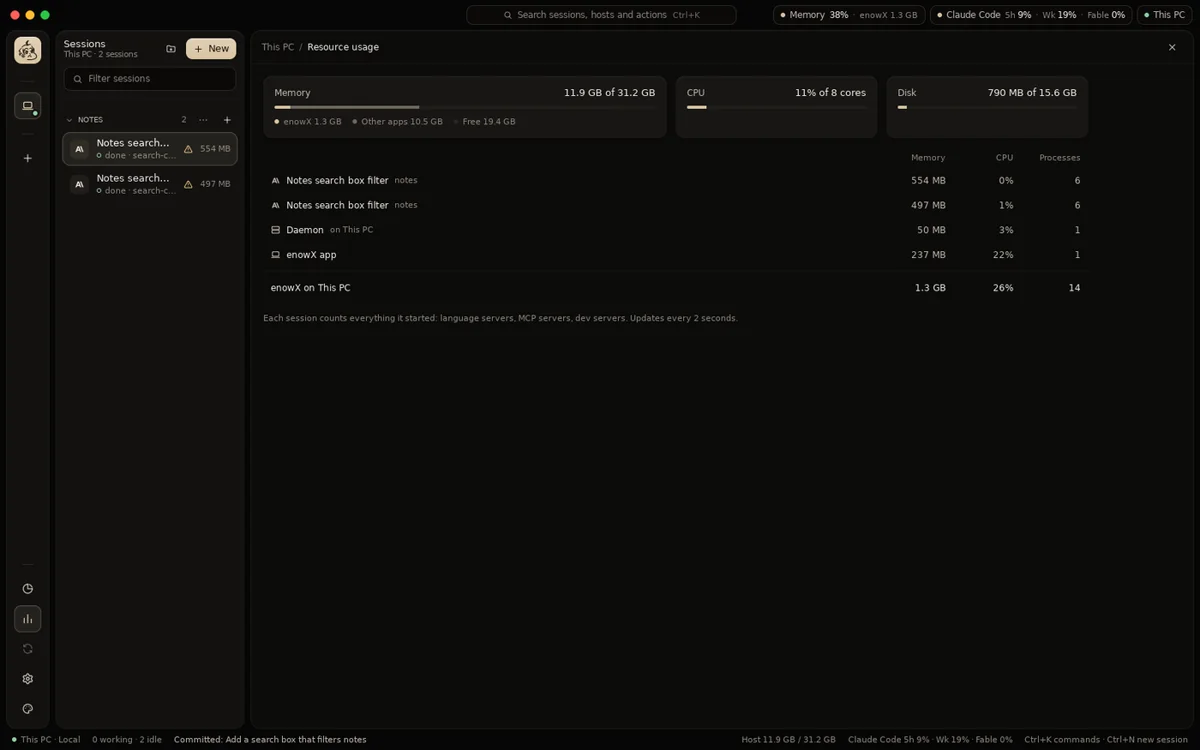
Memory and CPU of every session, counting everything it started: language servers, MCP servers, dev servers.
An agent builds a Tauri, Electron, Flutter, GTK or Qt app on your server, and it opens on your laptop in a window of its own, with the framework's own hot reload.
Runs the session's app on an emulator or a phone, on its host or on your laptop, shows its screen with scrcpy and its log, and catches its traffic.
Canvas
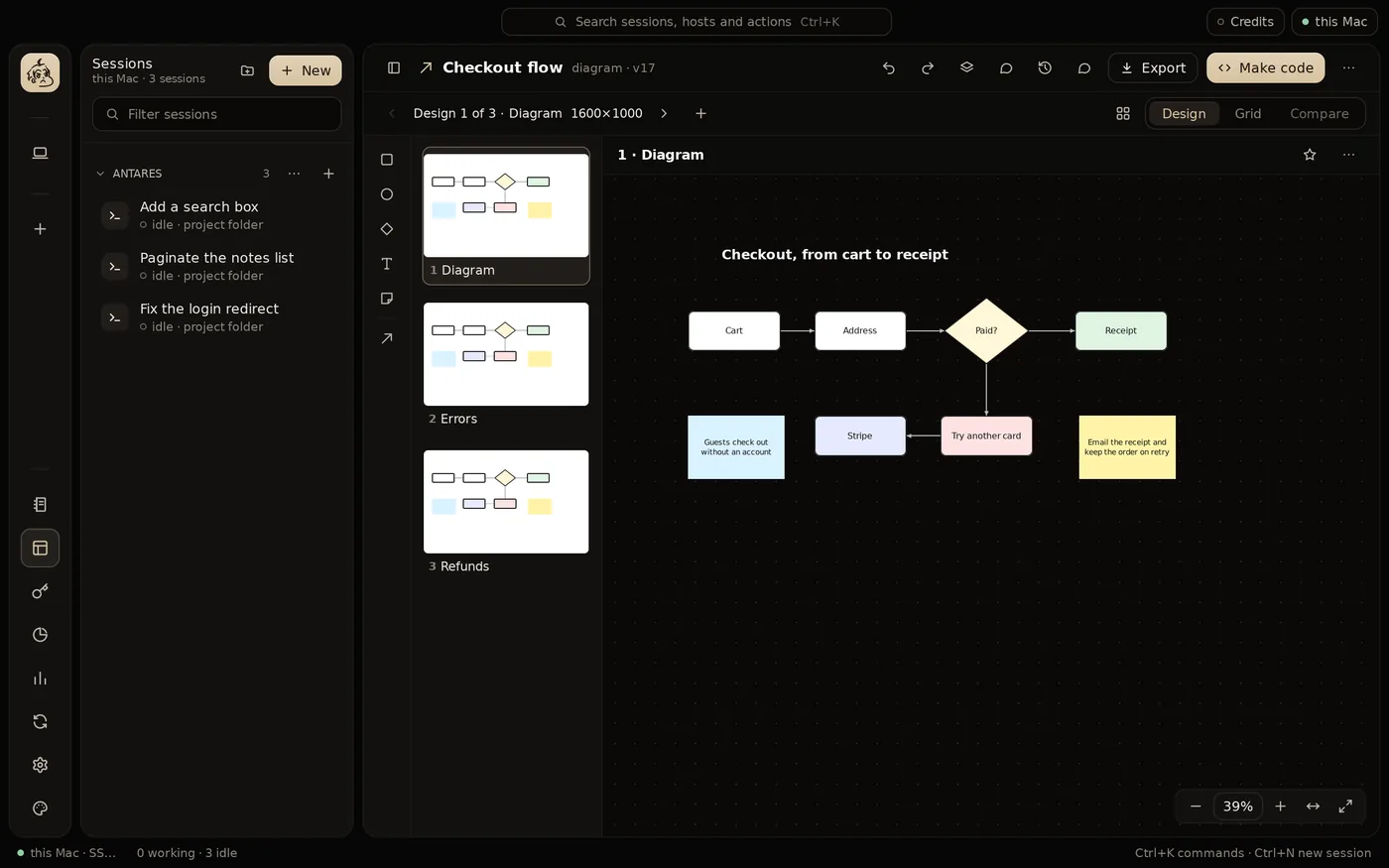
Mockups in HTML, wireframes, diagrams and boards on each host. Watch an agent build a design element by element, or ten variations to compare and star, then have it turn the one you pick into code.
Scroll to move the board and pinch to zoom, as in a design tool. Move and edit shapes, pause or stop the agent, restore any version.
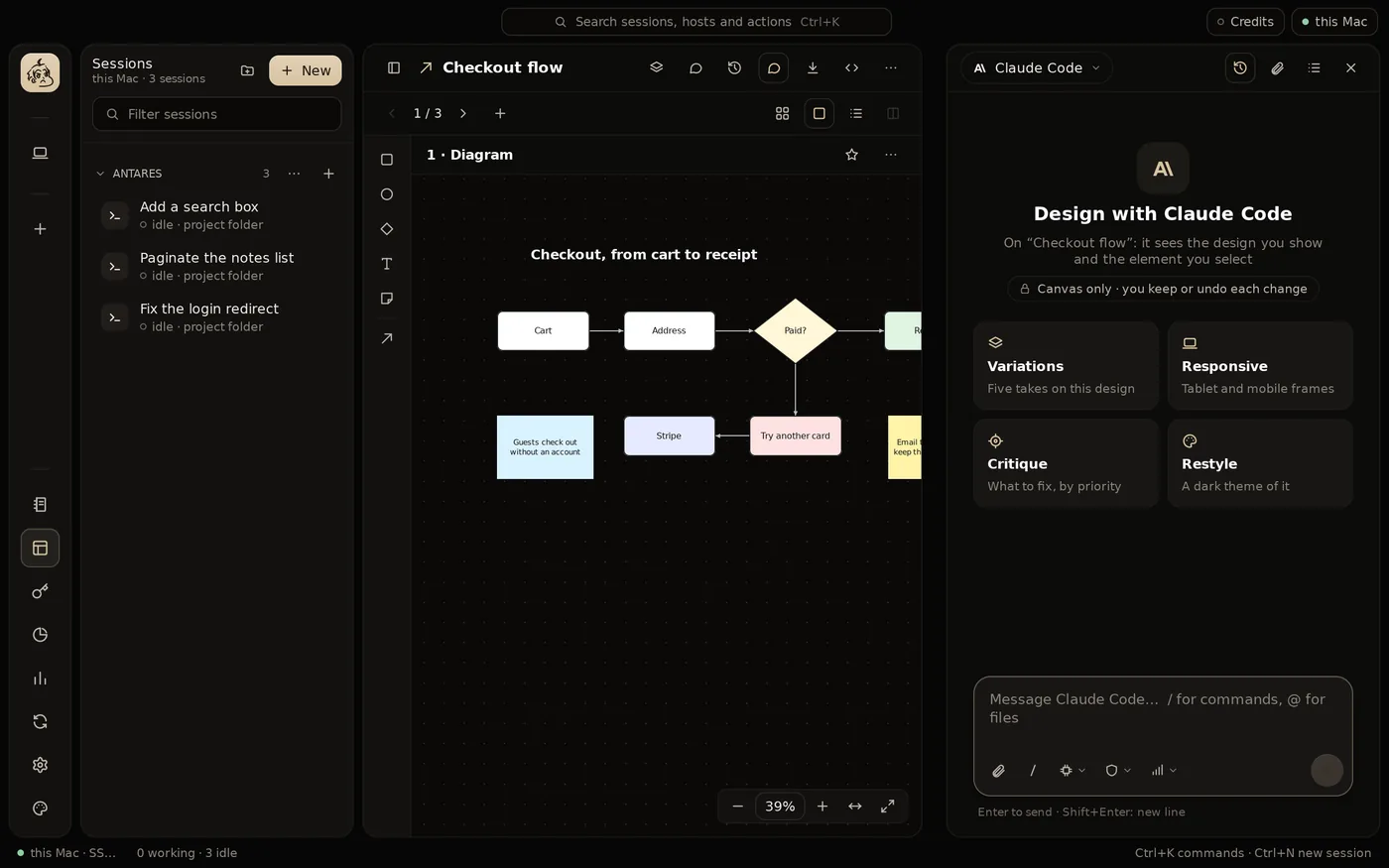
Ask the agent about it, have it changed or redesigned on its own, or leave a note on it.
Claude Code, Codex or another agent, held to the canvas's tools. In review mode, keep or undo what each message changed.
Export a design, share a read-only link on this device and your tailnet, or have an agent build it in a project, in its stack and components.
Notes
Pages of notes on each host, written a block at a time with Markdown's shortcuts and / for blocks. Every version is kept to restore.
Tabs, toggles, columns, callouts and cards, to-dos with their progress, an outline to jump through, and SVG icons in any color.
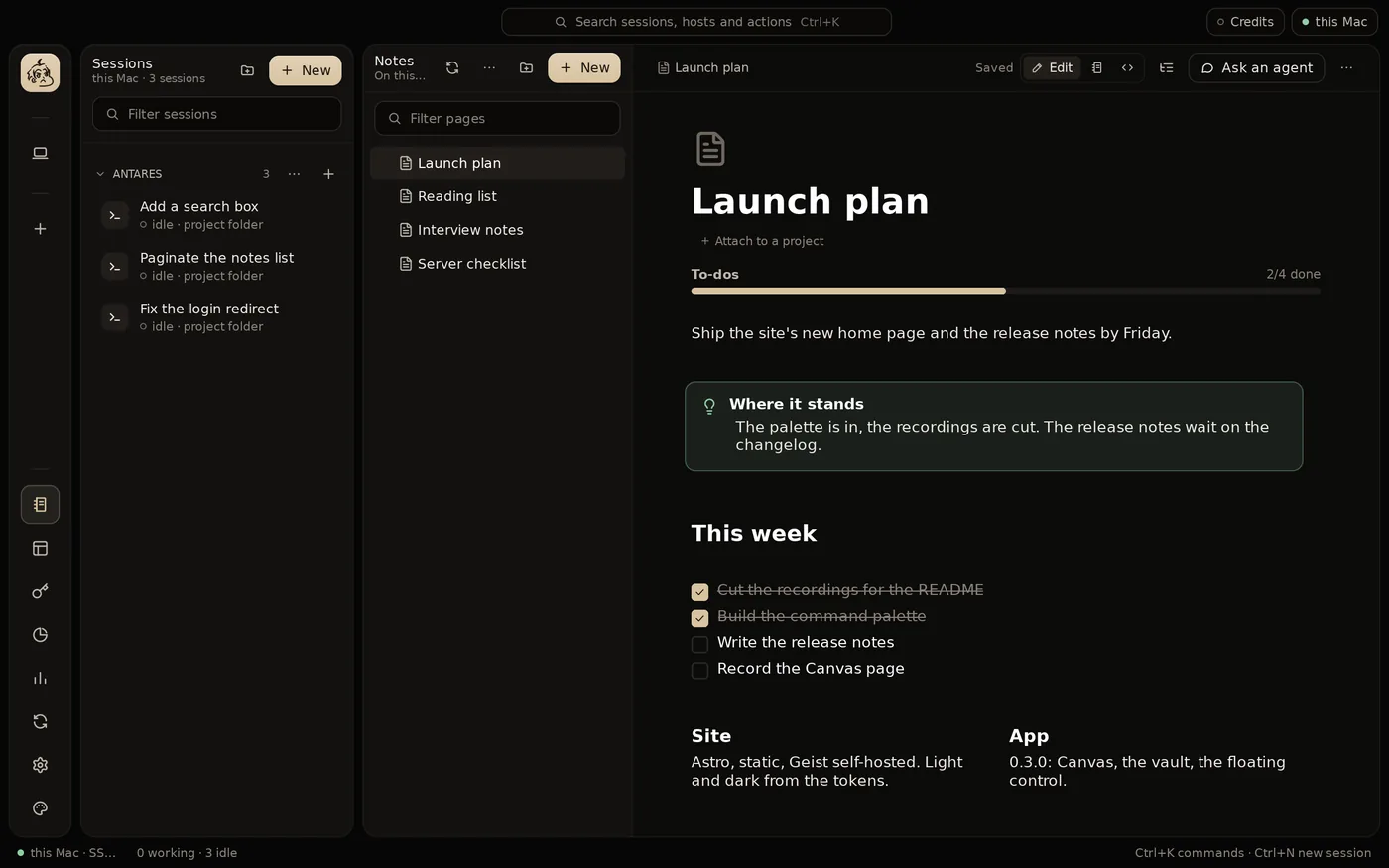
Beside a page, Claude Code, Codex or another agent tidies it, plans it or brainstorms it. Its changes are yours to accept.
A note attaches to projects on any host, and an agent working there reads it.
Bring notes in with their images, from Notion again on a schedule. Export to Markdown, folders, HTML, PDF or a backup.
Credentials and your data
A credential vault encrypted on this device, lent to a session on any host only when you allow it. git, gh, docker and ssh on a server then work without signing in there.
GitHub, clouds, hosting, databases, registries and AI APIs. Agents use a credential by name, and its value is masked in what they read.
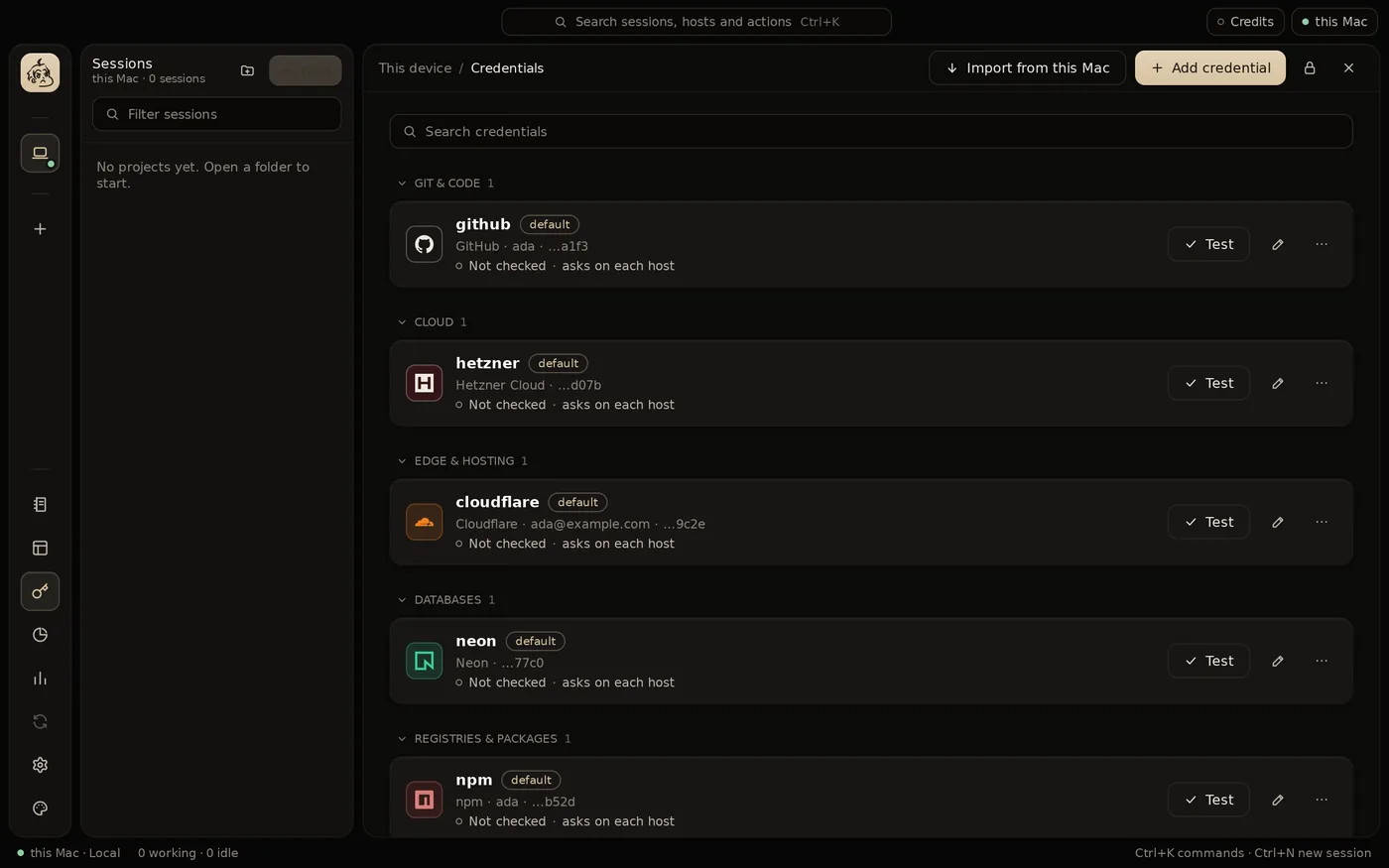
Notes, canvases, settings and the vault, encrypted, are the same on this device and every server, merged when changed on two at once.
Turn what agents are told about on or off, everywhere or per host, project or session, so their prompts stay short.
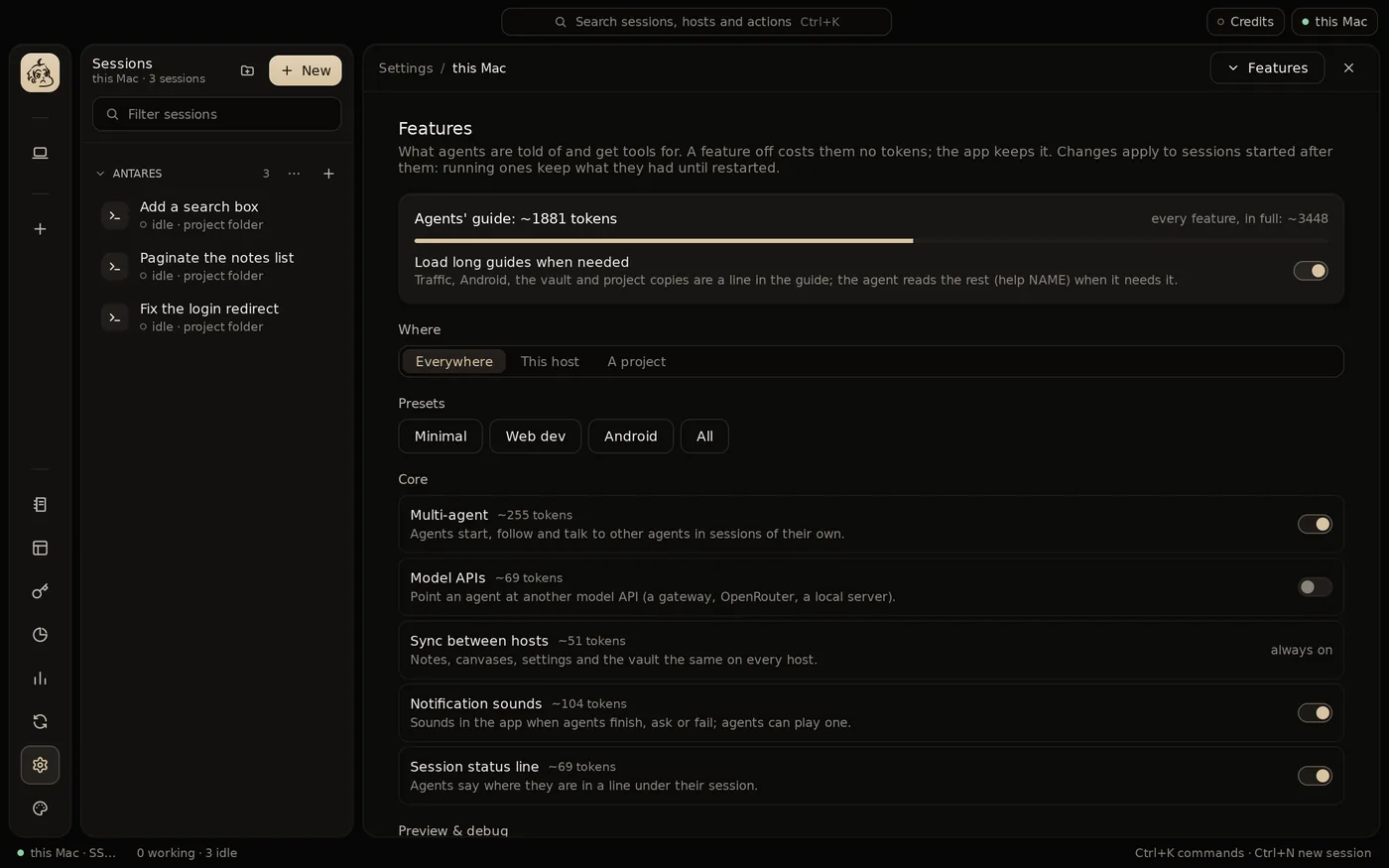
AES-256 under a key from your master password, kept in the system's keychain if you like. Hosts keep only the ciphertext, and the vault locks after 15 minutes unused.
Traffic
Traffic shows what the apps a session runs send and receive, on its host, live, over TLS too: requests, responses, WebSocket, server-sent events and gRPC.
Each host has its own certificate authority. Nothing is caught until attached.
Rules kept in the project, in .enowx/traffic.json: a mock from a request in one click, breakpoints to edit a request or a response before it goes on.
Headers and bodies by kind, timings and TLS, filtered by domain, status, type, size and time. Pause or stop recording when the list gets busy. Copy a request as curl, fetch, Python, Go, HTTPie or PowerShell; export and import HAR.
From the command line, and the same as MCP tools, secrets masked.
enowx-app traffic listenowx-app traffic watchenowx-app traffic mockenowx-app mcpYour laptop is just the screen
The app installs its daemon on your server, where it runs as a systemd service: sessions keep running with the laptop closed and come back after a reboot. Over SSH, or Tailscale.
A blank server gets what this device has, in one step.
At Hetzner, DigitalOcean, Vultr or InstaBox, from the app, with your own account and token, or an InstaBox machine you have.
Skills, subagents, commands, memory files, settings and MCP servers, between this device and a server, either way.
A project and its sessions to another host, then files, commits and conversations back. Copies can also sync on their own, and push the work to a branch of its own.
Connections come back by themselves and keepalives keep them open. Tailscale is built in.
Work as a team
enowX Cloud is opt-in: sign in with GitHub, make a team or join one, and share notes, projects and hosts with it, end-to-end encrypted. Nothing reaches the cloud until you sign in.
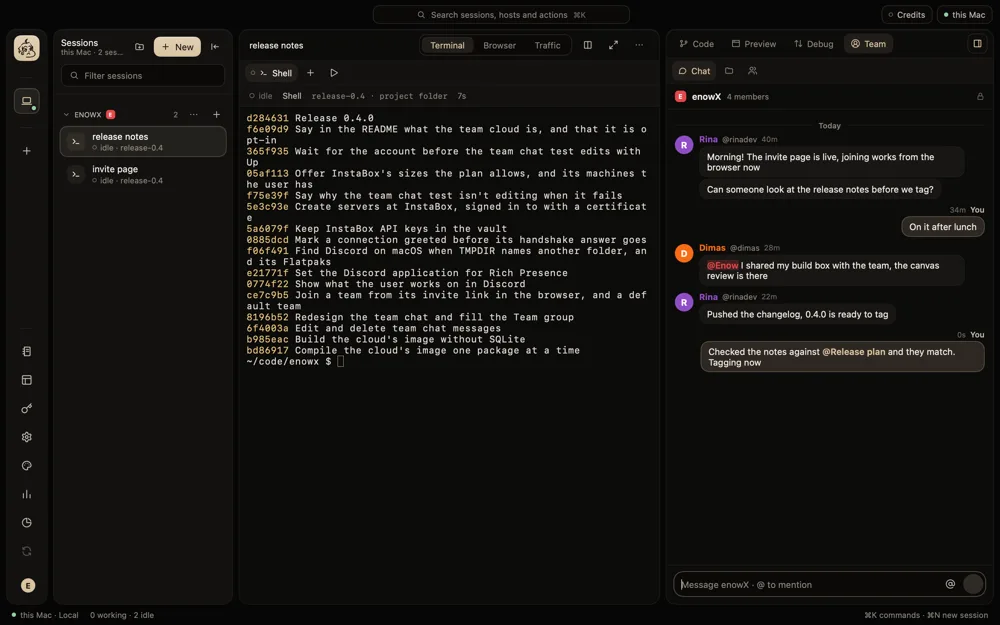
In the side panel, beside your sessions: @ mentions members, notes, canvases, projects and files, and messages edit and delete. The panel also lists the team's projects, where each is and the sessions in it, and who is on your host.
The link works in the browser too: someone without the app signs in with GitHub and joins there, then downloads enowX and finds the team.
Share a host with the team over Tailscale. Members watch a session live, ask to take it over, or start their own with their own agent account, never yours.
What the team keeps together, beside each member's own.
What a team shares is sealed with the team's key on its members' devices: the cloud holds ciphertext only, and credentials never go to it. An activity log and a recovery key come with it.
Script it
The enowx-app command line talks to the host's daemon, for your scripts and for agents that start other agents.
id=$(enowx-app spawn --agent codex --branch fix/parser "Fix the parser's handling of empty lines")enowx-app wait "$id" # until the agent is done or asks somethingenowx-app read "$id" # what its screen showsenowx-app send "$id" "Now add a test for it"enowx-app spawn --agents claude,codex "Add a search box" # a fan-outenowx-app pipeline "Paginate the notes list" # plan, implement, reviewAlso, and browser to drive a session's Browser:
Make it yours
A command palette for every session, host and action, five themes and any accent color, and a floating control over every app.
A round panel over other apps' windows: a new session, a folder, the palette, and the sessions of this PC or a server.
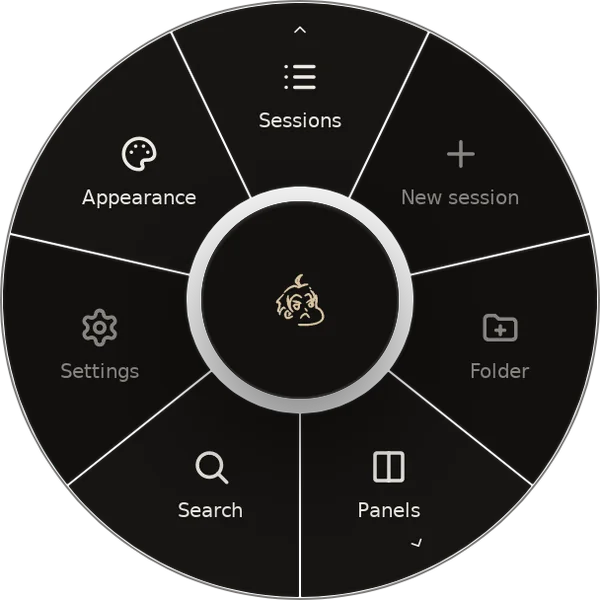
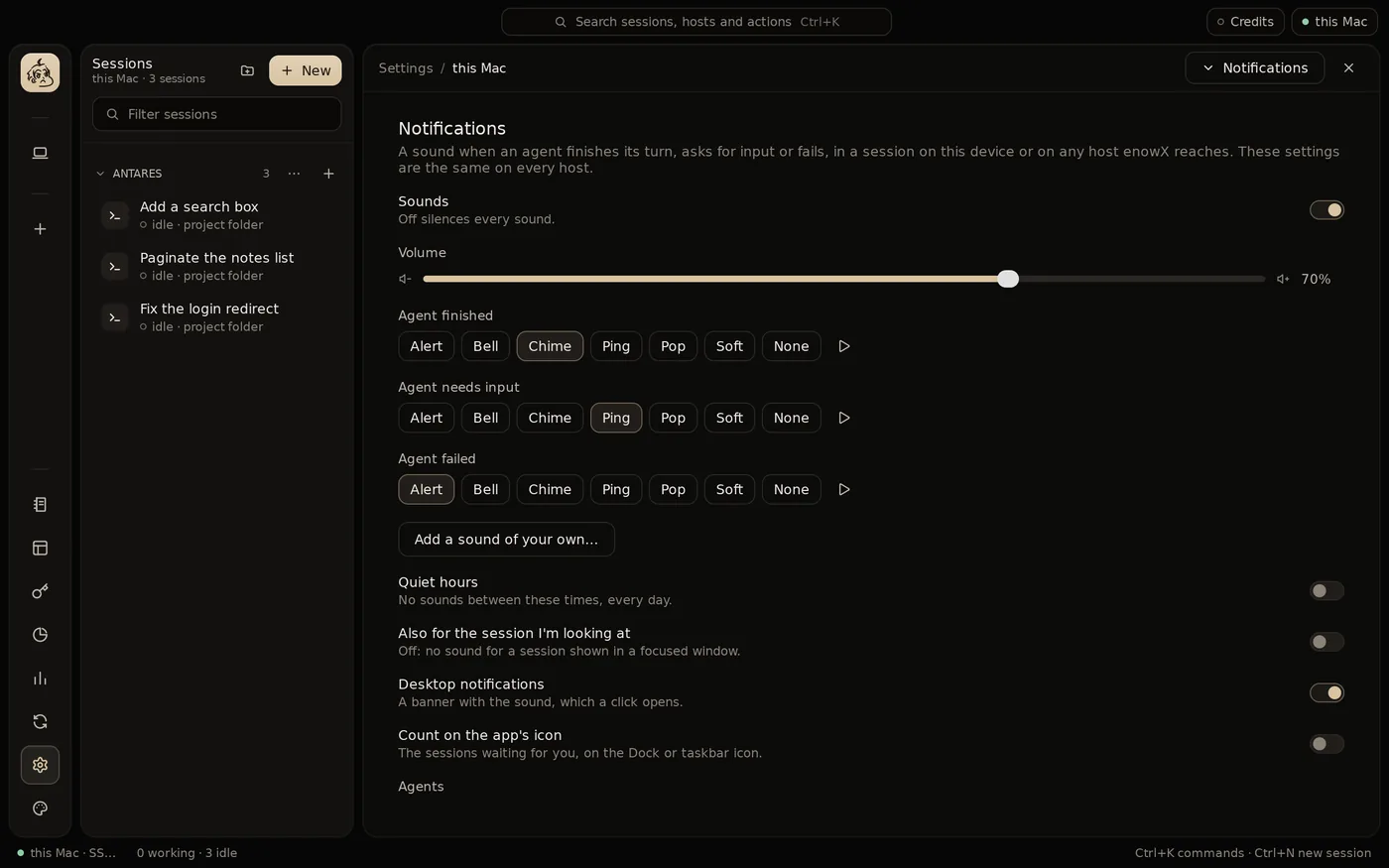
A sound for an agent done, waiting for you or failed, built in or your own, with quiet hours.
With signed archives, or a delta from the running version.
No account needed, no relay, no telemetry. The app talks to your machine and your servers directly; the team cloud is used once you sign in, for what you share. Passwords and tokens stay in the keychain and the encrypted vault.
Agents
Claude Code and Codex are the furthest integrated. Several accounts of the same agent work side by side.
Download
One native app for macOS, Linux and Windows. Open source under the MIT License, with no account and no cloud.
Version 0.5.0 · released 1 Nov 2026 · Release notes
Apple Silicon and Intel
Not notarized yet: the first time, right-click enowX in Applications and choose Open.
Windows 10 and 11, x64
Not signed yet: in SmartScreen's warning, choose More info, then Run anyway.
x64 and ARM64
Or in a terminal
curl -fsSL https://github.com/enowx/enowx/releases/latest/download/install.sh | shThe command installs it for you in ~/.local, where it updates itself.
Files come straight from GitHub Releases.